From the location to the summary: the data to enter, their effect on the study and the checks to make before starting the calculation.
Before starting
Gather the data measured or confirmed in the field. An approximate value remains possible for a first study, but it must be identified as such.
Water needDaily volume, or data allowing it to be calculated.
Dynamic water levelDepth of the water during pumping.
Delivery pointHeight and length of pipe.
InstallationBackup source, reserve and, in PRO mode, the panel selected.
1
Location of the project
The nearest town with a climate representative of the site is the one to choose.
Field
Nearest town, searched by town or by country.
Impact
Determines the climate data used, the recommended orientation and tilt, as well as the monthly production.
Check
The town and the country displayed are to be verified. An account limited to one country only offers the towns permitted by the licence.
After selection, the climate summary confirms the geographical basis of the study. Opening the screenshot enlarges it.2
Water use
The main use is selected in order to display the fields suited to the following step.
Choice
Village, livestock, crops or a daily need already known.
Impact
Changes the way the volume is determined. The crops and livestock uses, as well as a daily need already known, additionally open the choice of a pumping period.
Special case
The watering mode is not chosen here. The block “How do you irrigate?” appears at step 3, for the crops use only.
The choice organises the entry, but the final calculation works on the need expressed in cubic metres per day.3
Daily need
The need is described with the fields corresponding to the use selected.
Village
Level of service and number of inhabitants.
Livestock
Number of animals per category. The categories filled in are added together.
Crops
Type of crop and area in m² or hectares.
Known need
Volume entered directly in m³/day.
How do you irrigate?
Block displayed for the crops use only, below the area: drip irrigation, sprinkler, irrigation gun or centre pivot. The last three open the watering time and the pressure required, detailed on the Constant-pressure watering page.
Pumping seasonality
“All year round” or a period between a start month and an end month. The production and the sizing then cover that period. The block appears for the crops and livestock uses and for a daily need already known.
Point to watch. The unit of area and the total displayed in m³/day are to be checked. A value beyond the coverage of standard systems triggers a referral to the design office.
Example: market gardening of 5,000 m², that is a need displayed of 25 m³/day.“Part of the year” brings up the start month and the end month.4
Water depth
The dynamic water level is entered, in metres.
Data expected
Vertical distance between the ground and the water level during pumping.
If in doubt
The installation depth of the pump can be used provisionally. For a river or a pond, the bank height is the value to enter.
Impact
Enters into the total head, the choice of the pump and the lengths of motor cable and probe cable.
The depth of the borehole is not necessarily the dynamic water level.5
Water delivery point
The delivery height and the length of pipe are described here.
Height
Vertical difference between the ground and the highest point where the water is delivered. Enter 0 for a delivery at ground level.
Distance
Length of pipe between the water source and the delivery point.
Impact
The height adds directly to the head to be supplied. The distance enters into the choice of diameter, the velocity and the head losses.
The two distances describe different realities: vertical elevation and length of pipe.6
Installation
The equipment already present is declared here and, if necessary, the panel used for the sizing is chosen.
Backup power
Adds the appropriate cabinet and rules out incompatible pumps. Details on Hybrid operation.
Existing reserve
Declaring its volume gives a quantified analysis of the coverage. Details on Water reserve and coverage.
Reserve to be sized
PRO function offering reference volumes in the result.
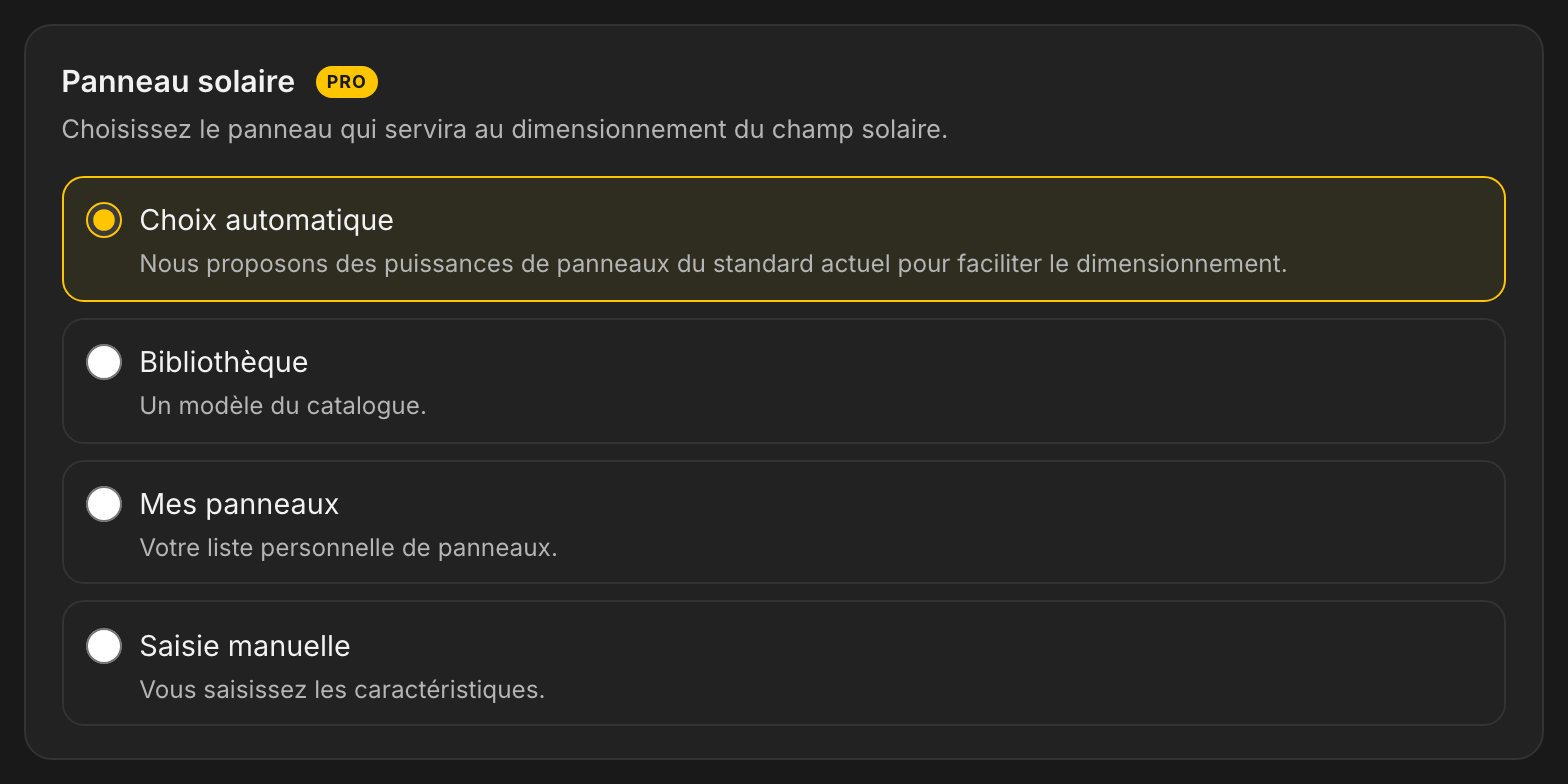
Solar panel
Four options: “Automatic choice”, “Library”, “My panels”, whose sub-text states “Your personal list of panels.”, and “Manual entry”.
The options change the equipment, the diagram and certain result blocks.“My panels” opens the list saved on the pro account.
Panel entered manually. The values of the manufacturer's data sheet are to be copied across: Wp, Vmp, Voc and temperature coefficients. An inconsistent voltage can make every solution incompatible with that panel.
The two temperature coefficients are prefilled with the most common values in the catalogue and are corrected from the manufacturer's data sheet.7
Summary before calculation
The entries and the calculated total head are checked before the solution is revealed.
To check
Town, need, period, depth, height, distance, backup source, reserve and panel.
TDH
The total dynamic head is not entered directly. It gathers the heights of the project and the effect of the pipe.
Correction
The “edit” link on each line leads back to the corresponding step.
The units match the data of the project.
The water level is indeed the level during pumping.
The length of pipe covers the whole route.
Provisional values are identified for later checking.
The summary is the last check before the calculation.